
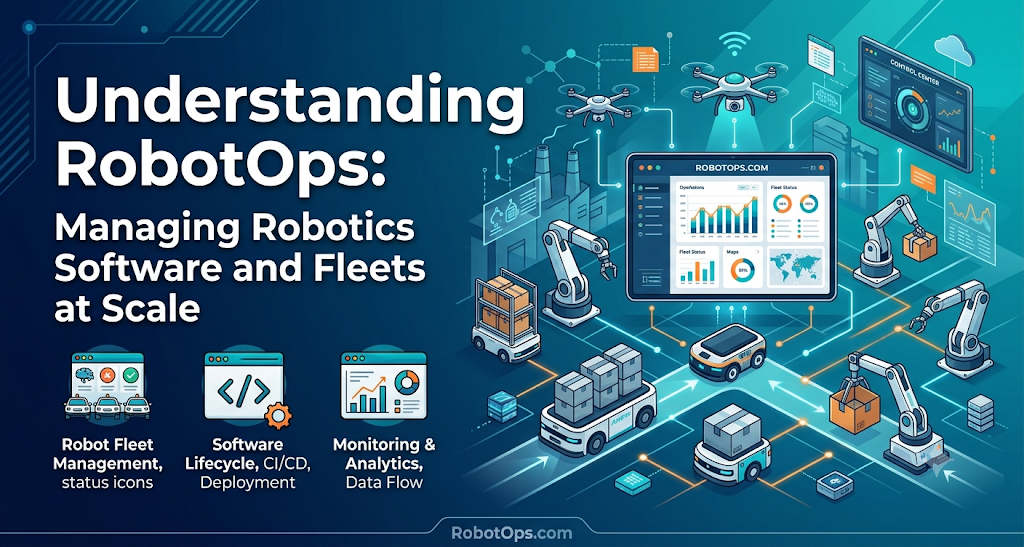
Introduction
Building a robot prototype in a lab is exciting. You write code, test sensors, and watch the machine navigate across an open room. Everything works as planned under ideal conditions.
Deploying fifty robots into an active warehouse or factory floor is a completely different story.
In production, robots hit unexpected obstacles. Wireless networks drop packets. Wheels slip on wet concrete, degrading localization. Batteries degrade at uneven rates. When software bugs appear in the field, you cannot simply plug in a debug cable.
This gap between building a single robot and operating a reliable fleet is where RobotOps—short for Robotics Operations—comes into play.
RobotOps applies proven software engineering and operations principles to physical machines. It brings together monitoring, telemetry, automated deployments, incident response, and fleet coordination.
Whether you work with Autonomous Mobile Robots (AMRs) or stationary Industrial Robotics, understanding RobotOps is essential for running reliable systems at scale. This guide explains how RobotOps works, why it matters, and how modern teams put it into practice.
What Is RobotOps?
RobotOps is the practice of applying modern software operations, system monitoring, and lifecycle management to robotic systems.
The name comes from DevOps, which transformed how web applications are built and maintained. DevOps created shared practices between developers who write code and operations teams who keep servers running.
RobotOps does the same for robotics. It connects robotics software engineers with the teams responsible for daily field operations.
+-----------------------------------------------------------------------+
|                         THE ROBOTOPS LIFECYCLE                         |
|                                                                       |
|   +-------------+       +---------------+       +-----------------+   |
|   |   DEVELOP   | ----> |   SIMULATE    | ----> |     DEPLOY      |   |
|   | Code, ROS 2 |       | Virtual tests |       | Staged rollouts |   |
|   +-------------+       +---------------+       +-----------------+   |
|          ^                                               |            |
|          |              +---------------+                |            |
|          +------------- |    MONITOR    | <--------------+            |
|            Fix issues   | Telemetry/ROC |   Collect field data        |
|                         +---------------+                             |
+-----------------------------------------------------------------------+
Why Software Operations Are Coming to Robotics
For decades, industrial robots ran fixed code in closed cells. A robotic arm welded a car frame along a pre-programmed path thousands of times. The environment rarely changed, and the software rarely updated.
Modern robots are different. They move through dynamic environments alongside human workers. They rely on complex perception stacks, machine learning models, and real-time path planning.
Modern Robotics Software needs frequent updates to fix bugs, improve navigation, and add features. When a company manages ten, fifty, or five hundred robots across multiple sites, manual updates become impossible. Teams need automated, reliable operations systems.
The Core Goals of RobotOps
RobotOps focuses on four main goals:
- High Availability: Keep robots operating on schedule without unpredicted downtime.
- Operational Safety: Ensure machines fail safely when sensors degrade or code crashes.
- Fast Issue Resolution: Detect problems, diagnose causes, and restore normal operations quickly.
- Controlled Software Updates: Deliver new features to field robots without breaking existing behaviors.
How RobotOps Differs from Traditional DevOps
At first glance, RobotOps looks similar to traditional cloud DevOps. Both use version control, automated testing, and metric monitoring.
However, running software on physical machines creates operational problems that cloud servers never encounter.
| Operational Factor | Cloud DevOps | RobotOps (Robotics Operations) |
| Execution Environment | Clean data centers or cloud servers | Variable physical spaces (warehouses, fields, hospitals) |
| Failure Consequences | Dropped web requests, slow page loads | Physical collisions, hardware damage, work stoppage |
| Network Reliability | Stable, high-bandwidth wired connections | Unstable Wi-Fi, cellular handoffs, dead zones |
| Compute Hardware | Expandable, standardized cloud compute | Resource-constrained, embedded computers |
| Software Rollbacks | Instant traffic redirection | Complex state management; physical recovery may be needed |
Hardware and Physical Environments
Cloud servers do not get flat tires. They do not get dust on their camera lenses or glare in their LiDAR sensors.
Robots operate in dirty, noisy, changing environments. A sensor reading might drift over time. A drive motor might overheat during a heavy lift. RobotOps tools must track hardware wear and environmental conditions alongside software performance.
Network Gaps and Edge Computing
Cloud servers have stable, low-latency connections. Robots run on wireless networks that drop packets when a machine moves behind a steel storage rack.
Because connections are unstable, a robot cannot depend on continuous cloud access to navigate safely. The robot must compute decisions locally at the edge.
RobotOps systems must handle intermittent connections gracefully. They cache telemetry locally on the robot and upload the data when a stable connection returns.
Safety and Physical Risk
A bug in a cloud web application might show an error page to a user. A bug in robot navigation software could cause a machine to bump into a shelving rack or cross into a pedestrian lane.
Safety is non-negotiable in robotics. RobotOps practices must include strict safety interlocks, emergency stop verifications, and conservative fallback modes when software services fail.
Key Pillars of Robotics Operations
A complete RobotOps workflow relies on four core pillars. Each pillar addresses a specific stage of the robot lifecycle.
+--------------------------------------------------------------------+
|                      FOUR PILLARS OF ROBOTOPS                      |
|                                                                    |
|  1. Continuous Integration & Safe Deployment                       |
|     Automated tests, simulation gates, and staged rollouts.       |
|                                                                    |
|  2. Robot Telemetry & Observability                                |
|     Real-time tracking of CPU, batteries, sensors, and errors.     |
|                                                                    |
|  3. Robot Fleet Management                                         |
|     Task allocation, map synchronization, and remote commands.     |
|                                                                    |
|  4. Incident Management & Support                                  |
|     Triage, remote recovery, safe stops, and root cause analysis.  |
+--------------------------------------------------------------------+
1. Continuous Integration and Software Deployment
Software deployment in robotics requires careful pipelines. Teams cannot push changes directly to active fleets.
A typical RobotOps deployment pipeline follows these steps:
- Code Merge: A developer commits updated navigation code to the main branch.
- Automated Unit Testing: The build system runs automated unit tests to verify algorithms.
- Simulation Checks: The code runs inside automated virtual simulation tests. The robot must clear virtual obstacle courses without collisions.
- Hardware-in-the-Loop (HIL) Testing: The software runs on a physical test bench with real sensors and embedded boards.
- Canary Rollout: The update deploys to a single robot at a physical site.
- Fleet-Wide Deployment: If the canary robot operates without errors, the update rolls out to the rest of the fleet in stages.
2. Robot Telemetry and Observability
Telemetry is the stream of data a robot sends about its internal state. Observability means using that data to understand why a system is behaving a certain way.
A healthy RobotOps setup collects several types of data:
- Hardware Metrics: Motor temperatures, battery voltages, wheel encoder counts, and internal drive temperatures.
- System Metrics: Embedded CPU load, RAM usage, storage space, and network signal strength.
- Application Metrics: Path-planning cycle times, localization confidence scores, and frame rates from cameras.
- System Events: Emergency stops triggered, obstacle detection events, and software node restarts.
Instead of sending raw sensor streams like high-resolution video over slow networks, good RobotOps platforms send lightweight summary metrics. Raw camera and LiDAR data are usually stored locally and only uploaded when an incident occurs.
3. Robot Fleet Management
Robot Fleet Management is the software layer that coordinates multiple machines working together.
While individual robots handle their own real-time control, a fleet management platform coordinates the group. It tracks robot availability, assigns delivery tasks, manages traffic at warehouse intersections, and sends machines to charging stations before batteries drain.
Fleet management also tracks software consistency across the fleet. It shows operators which machines run current software releases and flags units that require hardware maintenance.
4. Incident Management and Remote Support
When a robot stops in an aisle, operations teams must respond quickly. Leaving a machine stuck blocks other robots and disrupts warehouse operations.
A standard RobotOps incident response follows a simple progression:
[Issue Detected]
       │
       ▼
[Verify Safety State] ──(Unsafe)──> [Trigger Hardware E-Stop]
       │
    (Safe)
       ▼
[Remote Diagnostics]
       │
       ├──> [Safe Remote Recovery: Clear path or restart node]
       │
       └──> [Manual Retrieval: Dispatch floor technician]
- Detection: Telemetry alerts operators that a robot stopped moving unexpectedly.
- Triage: An operator checks sensor logs, camera feeds, and error codes to identify the problem.
- Safe Recovery: If a software node hung, the operator triggers a safe service restart. If the robot is physically blocked by an unexpected object, an operator can command the machine to take an alternative route.
- Escalation: If remote recovery fails, the system dispatches a floor technician to inspect the physical machine.
- Post-Mortem: Engineers review the event logs to fix the root software bug or update local facility maps.
The Role of ROS 2 in Modern Robot Operations
The Robot Operating System 2 (ROS 2) is an open-source software framework used widely in modern robotics engineering.
ROS 2 provides libraries, drivers, and communication tools that help engineers build complex robot applications. It is not an operating system like Linux or Windows. Instead, it acts as a flexible middleware layer.
+--------------------------------------------------------------+
|                    ROS 2 ROBOT ARCHITECTURE                  |
|                                                              |
|   +-------------------+              +-------------------+   |
|   |    Camera Node    |              |  Navigation Node  |   |
|   |  (Publishes data) |              | (Subscribes data) |   |
|   +-------------------+              +-------------------+   |
|             │                                  ▲             |
|             ▼                                  │             |
|       [Topic: /camera/image_raw (Shared Data Bus)]           |
|                                                              |
|   +------------------------------------------------------+   |
|   |               ROS 2 Middleware (DDS)                 |   |
|   +------------------------------------------------------+   |
|   |            Host OS (Ubuntu Linux / RTOS)             |   |
|   +------------------------------------------------------+   |
+--------------------------------------------------------------+
How ROS 2 Nodes and Topics Support Modularity
ROS 2 divides robot software into small, independent programs called Nodes.
Each node handles a specific task:
- One node reads data from a laser scanner.
- Another node calculates motor speeds.
- A third node tracks battery status.
Nodes communicate by publishing and subscribing to topics. For example, a sensor node publishes distance data to a topic named /scan. The navigation node subscribes to /scan to detect nearby walls.
This modular structure is helpful for RobotOps:
- Isolated Failures: If a single node crashes, the rest of the robot system can stay online while an operations service restarts the failed node.
- Standard Data Formats: ROS 2 uses standardized message formats, making it easier to collect telemetry and build uniform monitoring dashboards across different types of robots.
- Component Testing: Engineers can test individual nodes in isolation before testing the entire software stack.
Bridging ROS 2 to Operations Platforms
While ROS 2 is excellent for on-robot communication, its default communication protocol—Data Distribution Service (DDS)—is designed for local networks. It does not perform well over wide-area wireless connections.
RobotOps bridges this gap by using lightweight telemetry agents. A bridge agent running on the robot reads ROS 2 topics, packages key metrics into lightweight formats like JSON or Protocol Buffers, and uploads them to central cloud servers using protocols like MQTT or HTTPS.
Robot Simulation: Testing Before Physical Rollout
Testing software on physical robots is slow, expensive, and potentially hazardous. If new navigation code contains an error, a physical machine could hit a wall or damage equipment.
Robot Simulation is an essential part of the RobotOps lifecycle. It allows engineers to test code inside physics-accurate virtual worlds before deploying it to actual hardware.
+--------------------------------------------------------------+
|                 SIMULATION IN THE PIPELINE                   |
|                                                              |
|   [New Code]                                                 |
|       │                                                      |
|       ▼                                                      |
|   [Physics Simulation Environment]                           |
|       ├── Test dynamic obstacle avoidance                    |
|       ├── Test localization in virtual warehouse             |
|       └── Validate battery usage models                      |
|       │                                                      |
|   (Pass All Scenarios)                                       |
|       │                                                      |
|       ▼                                                      |
|   [Deploy to Physical Canary Robot]                          |
+--------------------------------------------------------------+
Why Virtual Testing Matters
Simulators model robot physical properties, including weight, wheel friction, and motor limits. They also model sensor inputs like camera feeds, LiDAR rays, and ultrasonic reflections.
By integrating simulation into automated build pipelines, engineering teams can:
- Run hundreds of navigation tests overnight across varied simulated warehouse layouts.
- Test edge cases that are difficult to set up in real life, such as sudden sensor dropouts or emergency stop triggers.
- Validate that new software updates do not break existing path-planning logic.
Limits of Simulation (Sim-to-Real Gap)
Simulation is an essential operational filter, but it does not remove the need for physical testing.
Engineers refer to the difference between virtual worlds and real environments as the sim-to-real gap. Virtual simulators use mathematical approximations for friction, light reflections, and material properties.
A simulated robot may easily drive across a virtual surface that causes real-world wheels to slip. Because of this gap, safe RobotOps teams treat simulation as a preliminary validation stage, followed by staged physical testing on real machines.
Inside a Robotics Operations Center (ROC)
As fleets expand, organizations often establish a Robotics Operations Center (ROC).
A ROC is a centralized dashboard and operational team responsible for tracking fleet performance, responding to real-time alerts, and coordinating field actions.
+-----------------------------------------------------------------+
|                    ROBOTICS OPERATIONS CENTER                    |
|                                                                 |
|   [ FLEET OVERVIEW ]        [ ACTIVE ALERTS ]   [ TELEMETRY ]   |
|   • Online: 42 robots       • Robot 08: LIDAR   • CPU: 38%      |
|   • Charging: 6 robots        degraded          • Battery: 82%  |
|   • Error State: 2 robots   • Robot 14: Network • Latency: 45ms |
|                               timeout                           |
|                                                                 |
|   [ MAP VIEW: Facility 2 ]                                      |
|   • Tracking live coordinates and path plans across aisles      |
|                                                                 |
|   [ OPERATOR CONTROLS ]                                         |
|   • Safe stop  • Trigger node restart  • Update task route     |
+-----------------------------------------------------------------+
Centralized Monitoring and Health Tracking
A typical ROC dashboard displays high-level fleet availability alongside deep machine-level metrics. It aggregates telemetry across facilities so support engineers can assess operational health at a glance.
Key metrics tracked in a ROC include:
- Mission Success Rate: The percentage of assigned navigation or transport tasks completed without human help.
- Mean Time Between Interventions (MTBI): How long a robot operates autonomously before requiring operator assistance.
- Fleet Utilization: The ratio of time robots spend actively working versus waiting for tasks or charging.
- Network Health: Packet loss and latency across different operational zones.
Alerting and Escalation Paths
A ROC relies on clear alert tiers to prevent operational fatigue. If every minor warning triggered an alert, operators would be overwhelmed.
- Low Priority (Informational): A robot switches to a secondary Wi-Fi access point. Logged for trend analysis; no alert triggered.
- Medium Priority (Warning): A robot drive motor runs warmer than average during a heavy task. Flagged on the dashboard for scheduled inspection.
- High Priority (Critical): A robot encounters an obstacle it cannot clear and halts in an active travel path. The system sounds an immediate alert for operator intervention.
Practical Steps to Build a RobotOps Workflow
Transitioning from ad-hoc robot management to a structured RobotOps methodology does not require rebuilding your entire system overnight. Teams can establish a baseline workflow in four practical steps.
Step 1: Standardize Robot Telemetry
Define a common schema for health and status data. Ensure every robot in your fleet exports core signals, including:
- System health (CPU, RAM, storage, temperature)
- Battery state of charge and voltage
- Current localization status and error state
- Active task identity and software version
Use lightweight serialization formats to keep network overhead low.
Step 2: Automate Build and Release Cycles
Stop compiling code manually on individual robot computers.
Use containerization tools like Docker to build standardized software images. Set up continuous integration pipelines that run tests and build deployable software artifacts automatically whenever developers push new code.
Step 3: Implement Staged Deployments
Never update an entire fleet at once. Deploy software updates to a single test machine first.
Monitor that machine through several full working shifts. If error rates remain flat and navigation benchmarks match expectations, expand the deployment to a small group before completing the rollout.
Step 4: Define Safe Failure Responses
Prepare for operational errors before they happen in production.
Ensure your software contains clear fallback states. If a navigation node loses tracking confidence, the robot should come to a controlled, smooth stop rather than continuing blind. Build simple recovery tools that allow operators to reset nodes safely without power-cycling the entire machine.
Common Challenges in Robotics Operations
Operating robots in production presents unique engineering challenges. Teams should prepare for these common hurdles early.
Managing Flaky Wireless Networks
Industrial facilities are filled with steel beams, concrete walls, and moving machinery. These structures bounce and absorb radio signals, creating dead zones.
To address network issues, your software must be resilient to disconnection:
- Design robots to navigate safely even when disconnected from central servers.
- Store operational logs locally during network drops.
- Implement backoff-and-retry algorithms that slowly upload accumulated logs once Wi-Fi reconnects, preventing network bottlenecks.
Handling Heterogeneous Fleets
Many operations rely on multiple robot types. A warehouse might use heavy autonomous forklifts alongside smaller sorting robots from different vendors.
Different vendors often use proprietary tools, custom communication protocols, and unique monitoring interfaces. Managing multiple distinct systems creates operational confusion.
Teams increasingly look to vendor-neutral standards, such as the VDA 5050 interface, which standardizes communication between mobile robot fleets and central control software.
Balancing Autonomy with Human Intervention
No robotic system is entirely autonomous in every situation. Unexpected physical changes—such as a fallen pallet, a spilled liquid, or an unmapped construction zone—can confuse even advanced navigation systems.
The goal of RobotOps is not to eliminate human operators entirely. The goal is to provide operators with the tools, data, and interfaces they need to manage fleets efficiently.
When one operator can comfortably oversee twenty or thirty machines with minimal intervention, robotic automation becomes economically sustainable.
FAQ Section
What does RobotOps mean?
RobotOps stands for Robotics Operations. It is the practice of applying modern software engineering, DevOps, monitoring, and lifecycle management principles to physical robotic systems. It helps teams deploy, monitor, and maintain robot fleets efficiently at scale.
How does RobotOps differ from DevOps?
DevOps manages software running on predictable cloud servers. RobotOps manages software running on physical machines operating in dynamic real-world environments. RobotOps must handle hardware wear, dead network zones, sensor drift, and strict physical safety risks that cloud servers do not face.
What is a Robotics Operations Center (ROC)?
A Robotics Operations Center is a centralized monitoring facility or software dashboard. It tracks the real-time health, location, telemetry, and performance of a robot fleet. Operations teams use a ROC to resolve alerts, deploy updates, and manage field incidents.
What is the role of ROS 2 in RobotOps?
ROS 2 serves as a modular software middleware framework. It divides robot software into small, manageable nodes that communicate over standardized topics. This modularity allows teams to isolate software failures, test individual components, and build standard monitoring pipelines across different robot platforms.
Why is robot simulation important for operations?
Robot simulation allows engineers to test software updates in physics-accurate virtual worlds before deploying them to physical machines. This testing helps catch navigation bugs, logic errors, and collisions early, reducing the risk of damaging expensive equipment or disrupting physical operations.
What is the sim-to-real gap?
The sim-to-real gap refers to differences between virtual simulation environments and real physical environments. Virtual worlds use mathematical approximations for factors like surface friction, sensor noise, and lighting. Because of these differences, code that succeeds in simulation must still be validated on physical hardware.
What is robot telemetry?
Robot telemetry is the continuous stream of data transmitted by a robot about its internal state and surroundings. This data includes battery levels, motor temperatures, system errors, drive speeds, and localization confidence scores, helping operators monitor system health.
Can every robot receive over-the-air software updates?
No. Remote software update capabilities depend on the robot’s hardware architecture, operating system, and network stability. Safely updating edge robotics systems requires robust rollback mechanisms, secure bootloaders, and fail-safe designs to prevent bricking machines during a failed installation.
Conclusion
Robotics has moved beyond lab demonstrations and pilot projects. Organizations rely on fleets of autonomous machines to move inventory, inspect infrastructure, and assemble products around the clock.
As fleets grow, software stability, system visibility, and automated maintenance become just as important as mechanical hardware. RobotOps provides the engineering framework needed to manage this complexity.
By applying disciplined deployment pipelines, real-time observability, simulation gates, and structured incident management, teams can keep their machines running safely and reliably.
Engineers and automation professionals looking to explore robotics lifecycle management, fleet architecture, and modern robotics operations can find in-depth technical guides and resources at RobotsOps.com.

