
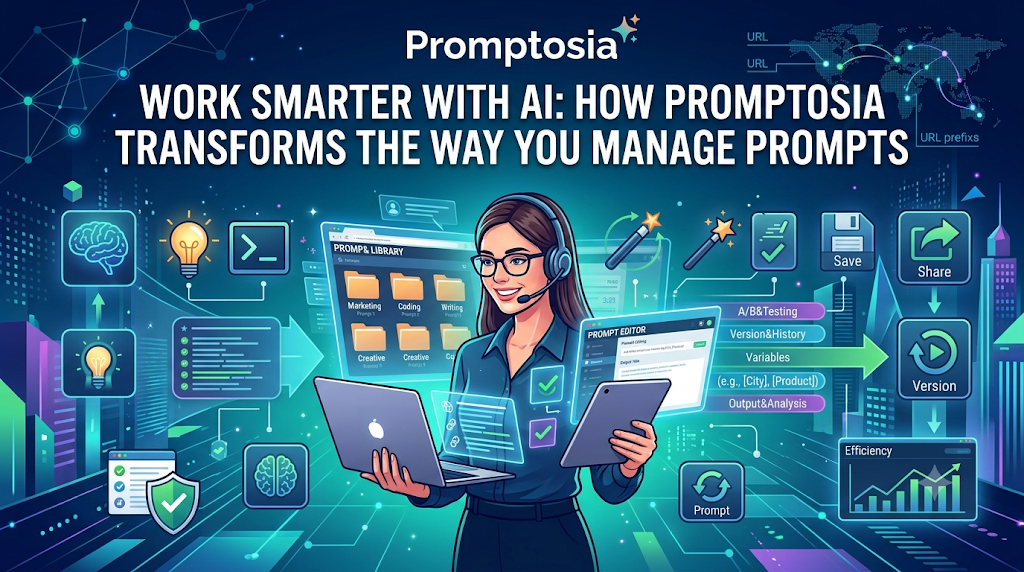
Introduction: Understanding Promptosia and AI Prompt Management
If you use artificial intelligence every day, you know that getting a great response depends on giving a great instruction. Over time, most people write dozens—or even hundreds—of custom instructions for writing, coding, marketing, and research. However, managing all those instructions is surprisingly difficult. Most of us end up with valuable text snippets scattered across random document files, sticky notes, or buried deep in past chat histories.
Promptosia was created to fix this exact problem. As a dedicated AI prompt management tool, it gives creators, professionals, and teams a single, organized home for their AI instructions. Instead of treating every conversation with an AI as a disposable test, the platform helps you save, improve, and reuse your most effective instructions over time.
Whether you work independently or as part of a team, having an organized prompt collection transforms the way you interact with AI tools. It turns random trial-and-error attempts into a reliable, high-quality workflow. From organizing prompts into clear categories to optimizing their clarity and tracking different versions, the platform covers every stage of an instruction’s life cycle.
What Is an AI Prompt Management Tool?
An AI prompt instruction (or “prompt”) is simply the text guidance you give to an artificial intelligence model to perform a task. When you first start using AI, writing a prompt feels quick and casual. You type a question, get an answer, and close the window.
However, as you rely on AI for more complex work, you quickly realize that simple inputs yield generic outputs. To get truly useful results, you begin adding specific context, formatting guidelines, background roles, and step-by-step instructions. Soon, these instructions turn into carefully crafted templates.
This is where an AI prompt management tool becomes essential. Just as you use password managers for security or cloud storage for documents, a prompt manager gives you a structured environment to save, index, and retrieve your best text instructions. Instead of re-typing complex directions every single time, you can pull your proven inputs directly from a central workspace.
Why Building an AI Prompt Library Is Important
Have you ever crafted an instruction that generated a perfect article, code script, or research summary, only to realize a week later that you couldn’t find it? This is a common issue for regular AI users.
Building a dedicated AI prompt library solves this issue by transforming temporary text into permanent digital assets.
[ Unorganized Prompts ] ──► Lost in old chats, notes, and documents
                                        │
                                        ▼
[ AI Prompt Library ]   ──► Centralized, searchable, and reusable
Storing your instructions in a central repository gives you several key advantages:
- Instant Access: You no longer need to scroll through endless past chat threads to find “that one good prompt.”
- Higher Productivity: You can execute multi-step AI tasks in seconds by pulling up pre-built templates.
- Consistency: Using the same structured guidance ensures that your brand tone, output formatting, and quality remain uniform every time.
How Promptosia Works as a Prompt Engineering Platform
Many people assume “prompt engineering” is a complex technical field reserved for software developers. In reality, it simply means learning how to structure your questions and directions so an AI model gives you the best possible answer.
Promptosia functions as an all-in-one prompt engineering platform that simplifies this entire process for everyday users.
       ┌──────────────────────────────────────────────────────────┐
       │                   THE PROMPT LIFECYCLE                   │
       └────────────────────────────┬─────────────────────────────┘
                                    │
    ┌──────────────┬────────────────┼──────────────┬──────────────┐
    ▼              ▼                ▼              ▼              ▼
Drafting     Categorizing      Optimizing       Testing        Sharing
  Idea       & Tagging        & Scoring       & Comparing    & Reusing
Instead of leaving you with a static list of notes, the platform guides you through a complete lifecycle:
- Drafting: Capturing your initial instruction idea clearly.
- Categorizing: Sorting instructions into accessible folders and tags.
- Optimizing: Enhancing clarity, context, and tone for higher quality.
- Testing: Comparing outputs across different variations.
- Sharing: Collaborating with teammates or exporting templates for daily use.
Organizing Prompts With AI Prompt Organizer
When your collection grows from ten prompts to two hundred, keeping things tidy becomes a priority. Without clear structure, a prompt collection becomes just as messy as a desktop full of unorganized files.
Using an AI prompt organizer allows you to structure your workspace using multi-level categorization:
- Folders and Projects: Group instructions by specific clients, departments, or long-term goals (e.g., “Email Marketing,” “Python Debugging,” or “Customer Support”).
- Tags and Labels: Add searchable terms like
#drafting,#summarization, or#beginnerto locate specific instruction types instantly. - Variables: Insert dynamic placeholders—such as
[Target Audience]or[Word Count]—so you can quickly adapt a single template to different tasks without altering the core structure.
Improving Instructions With AI Prompt Optimizer
A common frustration when using AI is getting vague, rambling, or off-topic responses. Most of the time, this happens not because the AI is incapable, but because the initial prompt lacked clear direction or boundaries.
An AI prompt optimizer acts as a helpful writing assistant for your instructions. It reviews your basic idea and suggests improvements to make it clearer and more direct. For example, if you enter:
“Write an email about our new product feature.”
The optimizer helps refine it into a structured input:
“Act as a product marketer. Write a concise 150-word announcement email introducing our new automated reporting feature to existing SaaS customers. Highlight two key benefits, use a warm tone, and end with a clear call-to-action button text.”
By turning vague requests into specific, action-oriented instructions, you get better, more reliable AI outputs on the very first try.
Understanding Prompts With AI Prompt Analyzer
Before running a long or complex prompt through an AI model, it helps to understand how well that instruction is structured.
An AI prompt analyzer inspects your text to evaluate its overall effectiveness. It checks key elements such as:
- Goal Clarity: Is the main objective clearly stated?
- Role Definition: Have you assigned a clear persona or expert role to the AI?
- Context and Inputs: Is there enough background information for the AI to understand the task?
- Formatting Parameters: Have you specified the desired output format (e.g., bullet points, JSON, markdown table)?
By highlighting missing details or ambiguous language, the analyzer helps you fix flaws before you generate an answer, saving you time and API costs.
Checking Prompt Quality Before Use
Using an unverified prompt in an important business task can lead to unpredictable results, inconsistent formatting, or even inaccurate facts. Conducting a systematic check ensures your instructions meet basic operational standards.
A built-in prompt quality checker assesses four fundamental areas:
- Clarity: Ensures words are straightforward and free of conflicting directions.
- Structure: Verifies that background information, constraints, and tasks are neatly separated.
- Safety and Guardrails: Confirms the instruction includes necessary rules (e.g., “Do not invent facts” or “Keep tone professional”).
- Usability: Checks that variables and dynamic placeholders are easy for anyone on your team to fill out.
Managing Prompt Improvements With Version Control
Prompt writing is an iterative process. You rarely get an instruction perfect on your very first try. You might tweak a sentence here, add a constraint there, or adjust the tone parameter to see what works best. However, if a new change makes the output worse, you need an easy way to step backward.
Using a dedicated prompt version control tool keeps a clean, organized history of every change you make.
Prompt v1.0 (Basic draft) ──► Prompt v1.1 (Added context) ──► Prompt v2.0 (Final optimized)
                                       │
                                       └─── Restore previous version anytime
If version 2.0 produces strange results, you can view a side-by-side comparison with version 1.1 and restore your previous configuration with a single click. This historical tracking lets you experiment freely without worrying about losing your best working setups.
Testing Different Prompt Results
When refining instructions, guessing doesn’t cut it. You need to test how slight changes to your text alter the AI’s actual response.
An AI prompt testing tool lets you run different prompt variations side-by-side. For instance, you can test whether setting a “Professional” tone works better than an “Empathetic” tone for a customer service scenario. By comparing both outputs directly, you can make data-driven decisions about which phrasing delivers the best performance.
Reusing Successful Prompts With Templates
Once you find a prompt formula that consistently yields great results, you shouldn’t have to rebuild it from scratch every time.
Creating reusable AI prompt templates allows you to turn successful workflows into standard operating procedures. By using standardized variables (like [Topic], [Tone], or [Length]), you create a flexible framework that anyone—from a new hire to a cross-functional teammate—can use to produce consistent, high-quality results.
Promptosia Features Comparison Table
Here is a quick overview of how the key features inside Promptosia support your daily AI tasks:
| Feature | What It Does | Benefit |
|---|---|---|
| AI Prompt Library | Stores useful prompts in one central place | Easy access and fast retrieval |
| Prompt Organizer | Categorizes prompts using tags, folders, and variables | Eliminates workspace clutter |
| Prompt Optimizer | Refines simple sentences into detailed directions | Delivers clearer AI responses |
| Prompt Analyzer | Scans prompt structure for missing context | Identifies weak points early |
| Quality Checker | Evaluates overall clarity, safety, and guardrails | Creates dependable inputs |
| Version Control | Tracks edits and maintains a complete prompt history | Protects working versions |
| Prompt Testing | Compares outputs from different prompt versions | Helps you select optimal settings |
| Templates | Saves custom frameworks with dynamic placeholders | Speeds up daily repetitive tasks |
Who Can Use Promptosia?
An organized prompt library benefits anyone who uses artificial intelligence regularly. Here is how different users incorporate it into their daily workflows:
Content Creators
Writers, bloggers, and video creators can store templates for generating outlines, drafting social media captions, writing video scripts, and brainstorming titles. Instead of rewriting style guides for every new piece, they save their brand voice guidelines directly into reusable templates.
Developers
Software engineers and technical writers use prompt management to store code refactoring prompts, documentation generators, unit test scripts, and bug-fixing routines. Managing variables makes it easy to paste snippets of code into proven prompt frameworks.
Marketers
Marketing specialists create repeatable workflows for email campaigns, ad copy variations, SEO metadata generation, and competitor analysis. Having centralized collections ensures all team members maintain a unified brand voice across all marketing channels.
Businesses and Teams
Companies use shared libraries to establish standard AI operating procedures. Instead of every employee writing their own instructions, teams can curate a shared repository of approved prompts, ensuring consistent quality, improved security compliance, and faster onboarding.
Students and Researchers
Academic users can organize prompts designed for summarizing research papers, explaining complex concepts in simple terms, organizing citations, and generating study guides across various subjects.
Benefits of Using Promptosia
Adopting a dedicated prompt workspace brings immediate structure to your AI interactions:
- Saves time: Stop wasting minutes searching through past chats or re-typing complex instructions.
- Keeps prompts organized: Store everything neatly using custom folders, tags, and searchable terms.
- Improves AI output quality: Transform basic questions into clear, contextualized inputs that deliver accurate results.
- Helps teamwork: Share proven templates across your organization to keep everyone aligned.
- Makes successful prompts reusable: Turn one-off successes into permanent templates for future tasks.
- Reduces repeated work: Automate routine writing, coding, and research steps with dynamic placeholders.
- Creates better AI workflows: Manage every step of your instruction design—from drafting to version control—in one workspace.
Common Problems Without Prompt Management
Working with artificial intelligence without an organized management system usually leads to a few common friction points:
- Losing Valuable Prompts: Spending twenty minutes refining a custom instruction, only to lose it when the chat history clears or disappears.
- Creating the Same Instructions Repeatedly: Re-typing basic persona roles, background details, and formatting instructions every single day.
- Not Tracking Improvements: Making an edit to a working prompt, realizing the new output is worse, and being unable to remember your original wording.
- Getting Inconsistent AI Results: Receiving vastly different output quality each day because your inputs lack standardized structure and boundaries.
- Difficulty Sharing Prompts With Teams: Copy-pasting text back and forth over team messaging apps, leading to fragmented versions and inconsistent team outputs.
Using a systematic prompt management strategy eliminates these bottlenecks, turning unorganized experimentation into a smooth, reliable digital asset system.
Frequently Asked Questions (FAQs)
What is an AI prompt management tool?
An AI prompt management tool is a specialized software workspace designed to help users save, organize, refine, test, and retrieve their text instructions for AI models, keeping all valuable prompts in one accessible location.
Why do users need an AI prompt library?
An AI prompt library prevents you from losing your best instructions across different chat apps or document files. It allows you to store, search, and reuse effective prompts whenever you need them, saving time and ensuring consistent output quality.
How does Promptosia help organize prompts?
It provides structured organization tools such as custom folders, tags, search bars, and dynamic variable placeholders, making it easy to sort hundreds of prompts into clean, accessible collections.
What is a prompt engineering platform?
A prompt engineering platform is a complete software environment that supports the entire lifecycle of an AI instruction—including drafting, analyzing, optimizing, version tracking, testing, and sharing.
How does an AI prompt optimizer improve prompts?
An AI prompt optimizer reviews simple or vague text and suggests structural additions—such as role definitions, background context, and specific constraints—making your directions clearer and more effective for AI models.
What does an AI prompt analyzer check?
An AI prompt analyzer evaluates your text for essential structural components, checking whether your instruction includes clear goals, proper roles, necessary context, dynamic variables, and unambiguous output rules.
Why is prompt version control important?
Prompt version control saves a complete history of the edits you make to an instruction. This allows you to track performance changes over time and restore previous working versions if a new edit produces poor results.
How do reusable AI prompt templates save time?
Reusable prompt templates use flexible variable placeholders for changing information, allowing you to run complex, multi-step tasks instantly without having to rewrite core rules from scratch.
Final Thoughts: Building Better AI Workflows With Organized Prompts
As artificial intelligence continues to integrate into our daily work routines, the ability to communicate clearly with AI models has become an essential digital skill. However, writing great instructions is only half the battle—you also need a reliable way to manage, refine, and store those instructions for long-term use.
Relying on scattered notes and temporary chat windows limits what you can achieve with AI. By organizing your instructions into structured, reusable digital assets, you eliminate repetitive typing, maintain output quality, and build smoother workflows for yourself and your team.
Promptosia offers a thoughtful, complete solution for anyone looking to bring order to their AI interactions. By giving your prompts a permanent, organized home, you can stop spending time managing chat logs and focus on getting the best possible results from your AI tools.

